Pick a game to see exactly how to install it and how your viewers control it. Most mods are one-click — install from the app and play.
Choose a game
TikRace (Roblox)
NEW
Install type: Roblox gameActions: 32
How it works
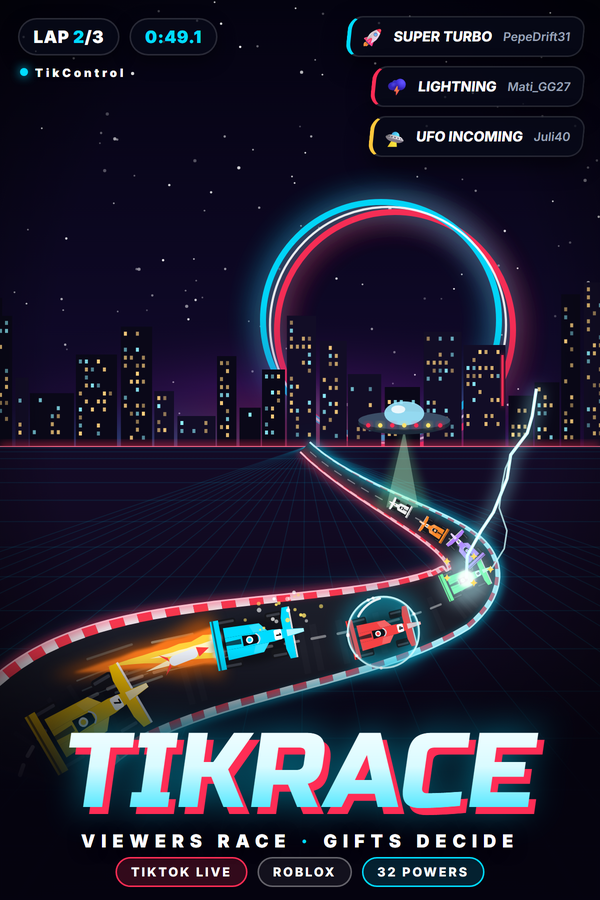
Turn your TikTok LIVE into a race with TikRace, TikControl's own Roblox racing game. Viewers type JOIN in your chat and get an AI-driven car with their name on it, and their gifts fire 32 powers at the field: turbo, shield, giant, ghost, swap, missiles, EMP, oil, banana, freeze, lightning, a hot-potato bomb, UFO abduction, tornado, time stop, reverse grid, rain, chaos and four game-enders up to Skyway to Glory. Three tracks rotate (TikControl Raceway, Canyon Rush and Neon Nights) with jumps, a TV director camera, race audio and a live leaderboard. Nothing to install: open TikRace on Roblox, enter the pairing code from the TikRace page in the app once, and every gift reaches the right car.
Requirements
Operating system
Windows 10 / 11 (64-bit)
Game
Roblox (free) with a Roblox account
Account
Free TikControl account
Setup
1
Create your account & get the app
Sign up free, then download and open the TikControl desktop app and log in with the same email.
2
Pair TikRace (Roblox) on Roblox
Nothing to install. Open TikRace (Roblox) in the app to see your pairing code, then join TikRace (Roblox) on Roblox and enter the code once on the lock screen.
3
Put the race on your stream
Keep the Roblox window in your scene. The TV director picks the shots, the mouse wheel zooms, the arrow keys follow any car and C switches views.
4
Connect TikTok LIVE & go live
Enter your TikTok username, map gifts to actions, and start your stream — your viewers are now in control.
Extra steps for this game
Needs Roblox (free) and a Roblox account. In the app, open the TikRace page: it shows your pairing code. Join TikRace on Roblox and enter the code once on the lock screen; the game remembers your account. Keep the Roblox window on your stream: the TV director does the shots, the mouse wheel zooms, the arrow keys follow any car and C switches between chase, onboard, helicopter and front views. Every account has its own code, each viewer's gifts always hit their own car, and the free plan includes three TikRace triggers (JOIN plus two gifts).