Kies een game om precies te zien hoe je deze installeert en hoe je kijkers hem besturen. De meeste mods zijn met één klik — installeer vanuit de app en speel.
Kies een game
TikRace (Roblox)
NIEUW
Installatietype: Roblox gameActies: 32
Hoe het werkt
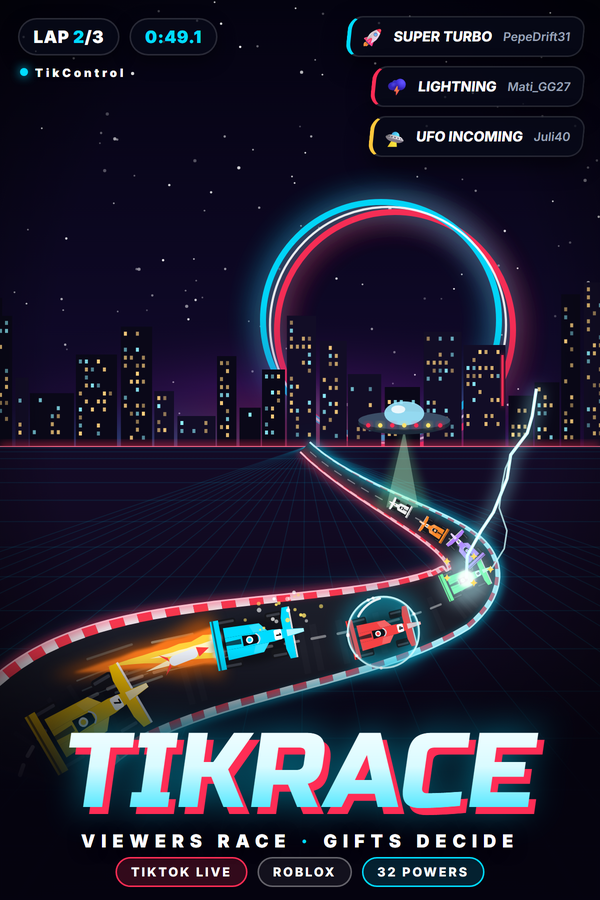
Maak van je TikTok LIVE een race met TikRace, TikControls eigen Roblox-racegame. Kijkers typen JOIN in je chat en krijgen een door AI bestuurde auto met hun naam erop, en hun gifts vuren 32 krachten op het veld af: turbo, schild, reus, geest, wissel, raketten, EMP, olie, banaan, bevriezen, bliksem, een hete-aardappelbom, UFO-ontvoering, tornado, tijdstop, omgekeerde grid, regen, chaos en vier game-enders tot aan Skyway to Glory. Drie circuits wisselen elkaar af (TikControl Raceway, Canyon Rush en Neon Nights) met schansen, een tv-regiecamera, racegeluid en een live klassement. Niets te installeren: open TikRace op Roblox, voer één keer de koppelcode van de TikRace-pagina in de app in, en elke gift komt bij de juiste auto terecht.
Vereisten
Besturingssysteem
Windows 10 / 11 (64-bit)
Game
Roblox (gratis) met een Roblox-account
Account
Gratis TikControl-account
Installatie
1
Maak je account aan en haal de app
Registreer gratis, download en open vervolgens de TikControl-desktop-app en log in met hetzelfde e-mailadres.
2
Koppel TikRace (Roblox) op Roblox
Niets te installeren. Open TikRace (Roblox) in de app om je koppelcode te zien, ga dan naar TikRace (Roblox) op Roblox en voer de code één keer in op het vergrendelscherm.
3
Zet de race in je stream
Houd het Roblox-venster in je scène. De tv-regie kiest de shots, het muiswiel zoomt, de pijltjestoetsen volgen elke auto en C wisselt van beeld.
4
Verbind TikTok LIVE en ga live
Voer je TikTok-gebruikersnaam in, koppel cadeaus aan acties en start je stream — je kijkers hebben nu de controle.
Extra stappen voor deze game
Vereist Roblox (gratis) en een Roblox-account. Open in de app de TikRace-pagina: daar staat je koppelcode. Ga naar TikRace op Roblox en voer de code één keer in op het vergrendelscherm; de game onthoudt je account. Houd het Roblox-venster in je stream: de tv-regie kiest de shots, het muiswiel zoomt, de pijltjestoetsen volgen elke auto en C wisselt tussen achtervolging, onboard, helikopter en frontaal. Elk account heeft zijn eigen code, de gifts van elke kijker raken altijd zijn eigen auto, en het gratis plan bevat drie TikRace-triggers (JOIN plus twee gifts).