每款遊戲的設定與操作指南
設定指南
選擇一款遊戲,檢視確切的安裝方法以及觀眾如何掌控它。大多數 Mod 都是一鍵式的 — 從應用安裝即可暢玩。
選擇一款遊戲
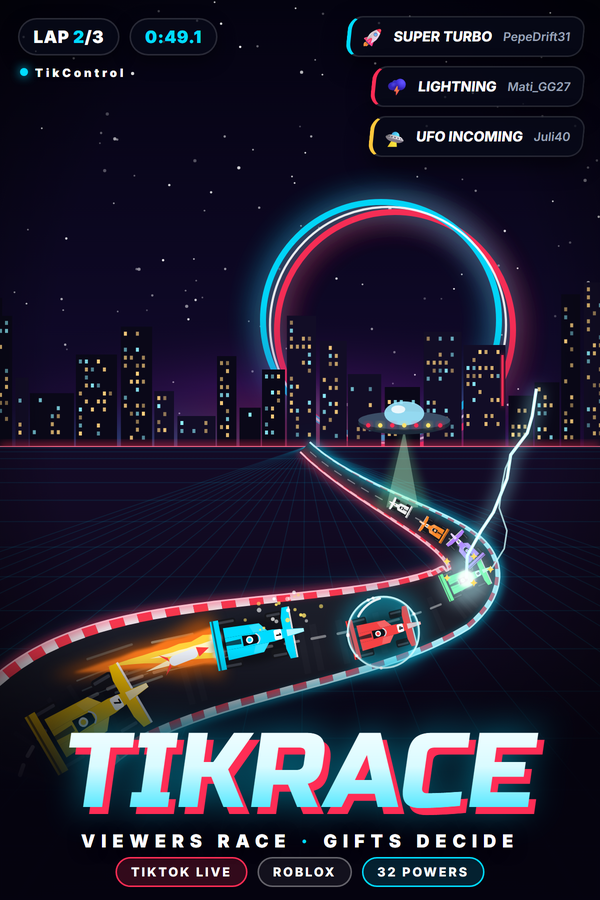
TikRace (Roblox)
新安裝型別: Roblox game動作: 32
工作原理
用 TikControl 自製的 Roblox 競速遊戲 TikRace,把你的 TikTok LIVE 變成一場賽車。觀眾在聊天室輸入 JOIN 就能得到一輛寫著自己名字的 AI 駕駛賽車,他們的禮物會對賽場發射 32 種能力:氮氣、護盾、巨人化、幽靈、換位、飛彈、EMP、機油、香蕉皮、冰凍、閃電、燙手山芋炸彈、UFO 綁架、龍捲風、時間暫停、倒序起跑、下雨、混亂,以及直到 Skyway to Glory 的四種終結技。三條賽道輪替(TikControl Raceway、Canyon Rush 和 Neon Nights),配有跳台、電視導播鏡頭、賽車音效和即時排行榜。無需安裝:在 Roblox 開啟 TikRace,輸入一次應用程式中 TikRace 頁面的配對碼,每份禮物都會送到正確的車上。
要求
作業系統
Windows 10 / 11(64 位)
遊戲
Roblox(免費)及 Roblox 帳號
賬戶
免費 TikControl 賬戶
設定
1
建立賬戶並獲取應用
免費註冊,然後下載並開啟 TikControl 桌面應用,用同一郵箱登入。
2
在 Roblox 上配對 TikRace (Roblox)
無需安裝。在應用程式中開啟 TikRace (Roblox) 查看你的配對碼,然後在 Roblox 加入 TikRace (Roblox),在鎖定畫面輸入一次配對碼。
3
把比賽放進你的直播
把 Roblox 視窗留在你的場景裡。電視導播負責選鏡頭,滑鼠滾輪縮放,方向鍵跟隨任何一輛車,C 鍵切換視角。
4
連線 TikTok LIVE 並開播
輸入你的 TikTok 使用者名稱,將禮物對映到動作,然後開始直播 — 現在你的觀眾掌控一切。
此遊戲的額外步驟
需要 Roblox(免費)和一個 Roblox 帳號。在應用程式中開啟 TikRace 頁面,它會顯示你的配對碼。在 Roblox 加入 TikRace,在鎖定畫面輸入一次配對碼,遊戲會記住你的帳號。把 Roblox 視窗留在直播畫面中:電視導播負責切鏡頭,滑鼠滾輪縮放,方向鍵跟隨任何一輛車,C 鍵在追尾、車載、直升機和正面視角之間切換。每個帳號都有自己的配對碼,每位觀眾的禮物永遠作用在他自己的車上,免費方案包含三個 TikRace 觸發器(JOIN 加兩個禮物)。