每款游戏的设置与操作指南
设置指南
选择一款游戏,查看确切的安装方法以及观众如何掌控它。大多数 Mod 都是一键式的 — 从应用安装即可畅玩。
选择一款游戏
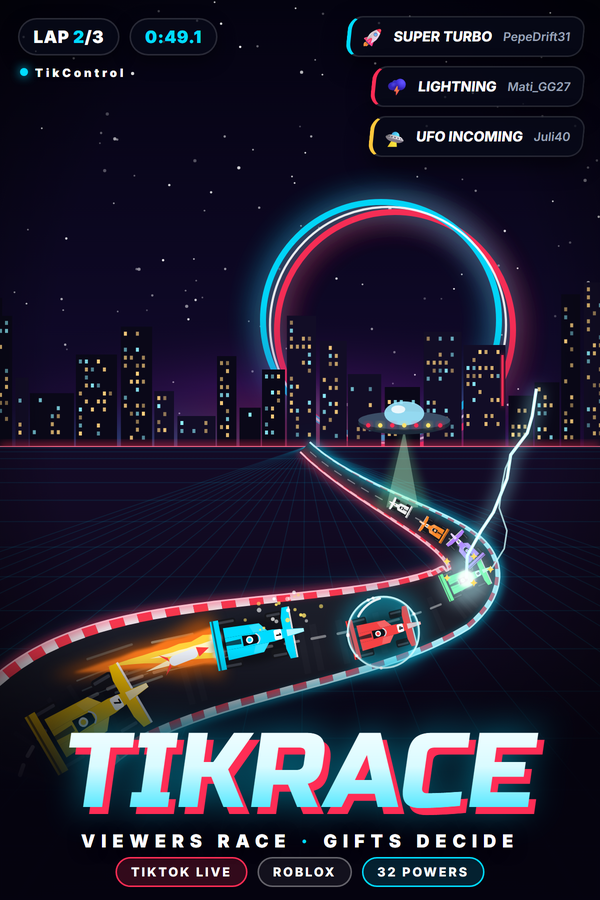
TikRace (Roblox)
新安装类型: Roblox game动作: 32
工作原理
用 TikControl 自研的 Roblox 竞速游戏 TikRace,把你的 TikTok LIVE 变成一场赛车比赛。观众在聊天里输入 JOIN 就能获得一辆写着自己名字的 AI 驾驶赛车,他们的礼物会向赛场发射 32 种能力:氮气、护盾、巨人化、幽灵、换位、导弹、EMP、机油、香蕉皮、冰冻、闪电、烫手山芋炸弹、UFO 绑架、龙卷风、时间停止、倒序发车、下雨、混乱,以及直到 Skyway to Glory 的四种终结技。三条赛道轮换(TikControl Raceway、Canyon Rush 和 Neon Nights),配有跳台、电视导播镜头、赛车音效和实时排行榜。无需安装:在 Roblox 打开 TikRace,输入一次应用中 TikRace 页面的配对码,每一份礼物都会送到正确的车上。
要求
操作系统
Windows 10 / 11(64 位)
游戏
Roblox(免费)及 Roblox 账号
账户
免费 TikControl 账户
设置
1
创建账户并获取应用
免费注册,然后下载并打开 TikControl 桌面应用,用同一邮箱登录。
2
在 Roblox 上配对 TikRace (Roblox)
无需安装。在应用中打开 TikRace (Roblox) 查看你的配对码,然后在 Roblox 进入 TikRace (Roblox),在锁定界面输入一次配对码。
3
把比赛放进你的直播
把 Roblox 窗口留在你的场景里。电视导播负责选镜头,鼠标滚轮缩放,方向键跟随任意一辆车,C 键切换视角。
4
连接 TikTok LIVE 并开播
输入你的 TikTok 用户名,将礼物映射到动作,然后开始直播 — 现在你的观众掌控一切。
此游戏的额外步骤
需要 Roblox(免费)和一个 Roblox 账号。在应用中打开 TikRace 页面,它会显示你的配对码。在 Roblox 进入 TikRace,在锁定界面输入一次配对码,游戏会记住你的账号。把 Roblox 窗口留在直播画面里:电视导播负责切镜头,鼠标滚轮缩放,方向键跟随任意一辆车,C 键在追尾、车载、直升机和正面视角之间切换。每个账号都有自己的配对码,每位观众的礼物永远作用在他自己的车上,免费方案包含三个 TikRace 触发器(JOIN 加两个礼物)。